

How to Make AI Videos for YouTube Shorts in 2026: The Complete Playbook
A step-by-step playbook for making AI-generated YouTube Shorts in 2026 — pick the right model (Gemini Omni Flash, Veo 3.1, Sora 2), write 9:16 prompts that actually work, stitch shots, add audio and captions, and publish without burning credits.
Quick Answer
To make an AI video for YouTube Shorts in 2026, write a one-sentence hook, storyboard 3–5 shots at 9:16 vertical, generate each shot with a structured prompt (Subject, Action, Scene, Camera, Lighting, Audio, Negative), stitch them under 60 seconds, add captions, and publish.
The fastest path today is to render hero shots on Veo 3.1 for polish, use Gemini Omni Flash workflows for character-consistent series, and stay disciplined about a single 9:16 aspect ratio from prompt to upload.
If you want a one-tool setup that already speaks Omni-style prompting and runs on the current best model behind the scenes, start in the Omni Flash workflow studio.
Key Takeaways
- YouTube Shorts caps at 60 seconds — most AI Shorts that retain viewers are 15–30 seconds and 3–5 shots.
- 9:16 is non-negotiable. Generate vertical from the first render. Cropping a 16:9 clip almost always destroys composition and on-screen text.
- A structured prompt template beats a "creative" prompt by 3–5× in pass rate. Use Subject / Action / Scene / Camera / Lighting / Audio / Negative.
- The hook is the first 1.5 seconds. If your opening frame doesn't pose a question or show a payoff, the watch-through rate dies.
- Captions win Shorts. 85% of mobile viewers watch with sound off by default — bake captions in or use YouTube's auto-captions plus a stylized on-screen title.
- Iterate on prompts, not models. The single biggest cost lever is prompt quality. A tight prompt uses 3–5× fewer regenerations than a sloppy one.
Why AI video works well for Shorts
Short-form vertical video is the format AI generators are best at right now. Three reasons:
- Duration matches model strengths. Most production AI video models output 5–10 second clips at a time. That's exactly the unit of a Shorts beat. The "long clip" problem that holds AI back on YouTube long-form mostly disappears here.
- 9:16 frames forgive less polish. Vertical framing centers the subject. Small background errors that get scrutinized in 16:9 cinematic shots are often invisible on a phone.
- The discovery algorithm rewards iteration speed. Shorts ranks novelty and watch-through far more than production cost. Posting five 20-second Shorts a week is materially more effective than one 90-second hero film.
This is why Shorts is the highest-leverage place to start with AI video in 2026 — the format plays to the technology's current strengths.
The 7-step workflow
A repeatable end-to-end process. Pick this up on the first Short, then run it again for every video.
Step 1 — Pick a Shorts format that fits AI video
Not every Shorts format works equally well for AI. The ones that work today:
| Format | Why it works for AI | Length |
|---|---|---|
| Hook + payoff | One scene change, easy to keep consistent | 10–20s |
| Tutorial / how-to | Each step is a separate generated shot | 25–45s |
| Product demo | Tight composition, controlled lighting | 15–25s |
| Cinematic mood piece | Veo 3.1's strongest territory | 10–20s |
| Character vignette | Plays to Omni Flash's character-consistency strength | 20–40s |
| Trend remix | One AI shot + creator face-cam = fast, performs well | 15–30s |
Avoid heavy dialog, complex multi-character scenes, and anything with on-screen text inside the generated video (AI text rendering is still unreliable — add text in your editor instead).
Step 2 — Write a one-sentence hook
Before you touch a prompt box, write the hook. The hook is the single sentence that answers: why should a thumb stop scrolling?
Good hook patterns for AI Shorts:
- Question + payoff: "What if a tiger could play piano? (sound on)"
- Counterintuitive claim: "This is the only AI prompt structure that works for Shorts."
- Curiosity loop: "Watch what happens in 7 seconds."
- Demo-first: "Made this in 90 seconds with one prompt."
If you can't write the hook, you don't have a Short yet. Write it before you generate anything.
Step 3 — Storyboard 3–5 shots
A 20-second Short is roughly 3–4 shots of 5–7 seconds each. A 30-second Short is 4–5 shots. More than 6 shots in a Short usually means each cut is too short for the eye to land.
For each shot, write a one-line description:
Shot 1 (5s) — Establishing: wide shot of subject in scene
Shot 2 (6s) — Action: close-up of the main payoff
Shot 3 (5s) — Reaction or twist
Shot 4 (4s) — Closing beat / CTA
This is the moment to decide whether you need character consistency across shots. If yes, plan for it now — see How to generate consistent characters with Gemini Omni Flash for the technique.
Step 4 — Write shot-level prompts with the Omni structure
This is where most creators waste credits. A vague prompt like "a cat doing parkour in a city" will give you ten different cats, ten different cities, and ten different lighting setups. Use the structured template:
SUBJECT: who or what is in the shot (1 line, no adjectives that don't help the render)
ACTION: what they are doing (verbs, not adjectives)
SCENE: where, when, what's in frame
CAMERA: shot type, lens feel, movement
LIGHTING: time of day, source, mood
AUDIO: ambient + any specific sound cue
NEGATIVE: things you do not want
Concrete example for a Short:
SUBJECT: an orange tabby cat wearing a tiny red parkour helmet
ACTION: leaping from one rooftop air-conditioning unit to another in slow motion
SCENE: Tokyo rooftop at dusk, distant skyline with neon signs visible
CAMERA: low-angle medium shot, 35mm lens feel, slight handheld shake, follows the leap
LIGHTING: golden-hour backlight from camera right, soft fill, warm tones
AUDIO: distant city ambience, wind, a single soft jazz piano note on the landing
NEGATIVE: text overlays, watermarks, distorted paws, extra limbs, blurry face
A prompt at this density typically lands a usable take in 2–3 renders instead of 8–12. That's the difference between $0.30 of credits per Short and $1.50.
For 25 more copy-ready templates across cinematic, physics-aware, character, product, and Shorts formats, see Best Gemini Omni Flash prompts.
Step 5 — Generate at 9:16 from the first render
Always set aspect ratio to 9:16 at generation time. Three reasons:
- Vertical framing changes composition — the model places the subject differently.
- Cropping a 16:9 clip to 9:16 cuts off 43% of the frame, almost always through your subject.
- Generating at 9:16 lets you reserve the top 18% and bottom 22% for title text and captions / CTA, which is where the platform UI sits.
Resolution: 1080×1920 is the sweet spot. 4K vertical is a waste of credits for Shorts — YouTube re-encodes everything aggressively, and on a 6-inch phone screen the gain is invisible. Save the 4K render for the rare case you'll repost to a TV-first surface.
Render at the highest frame rate your model supports (24 or 30 fps is standard). Frame rate matters more than resolution for perceived smoothness on Shorts.
Step 6 — Stitch, add audio, caption
A simple Shorts edit:
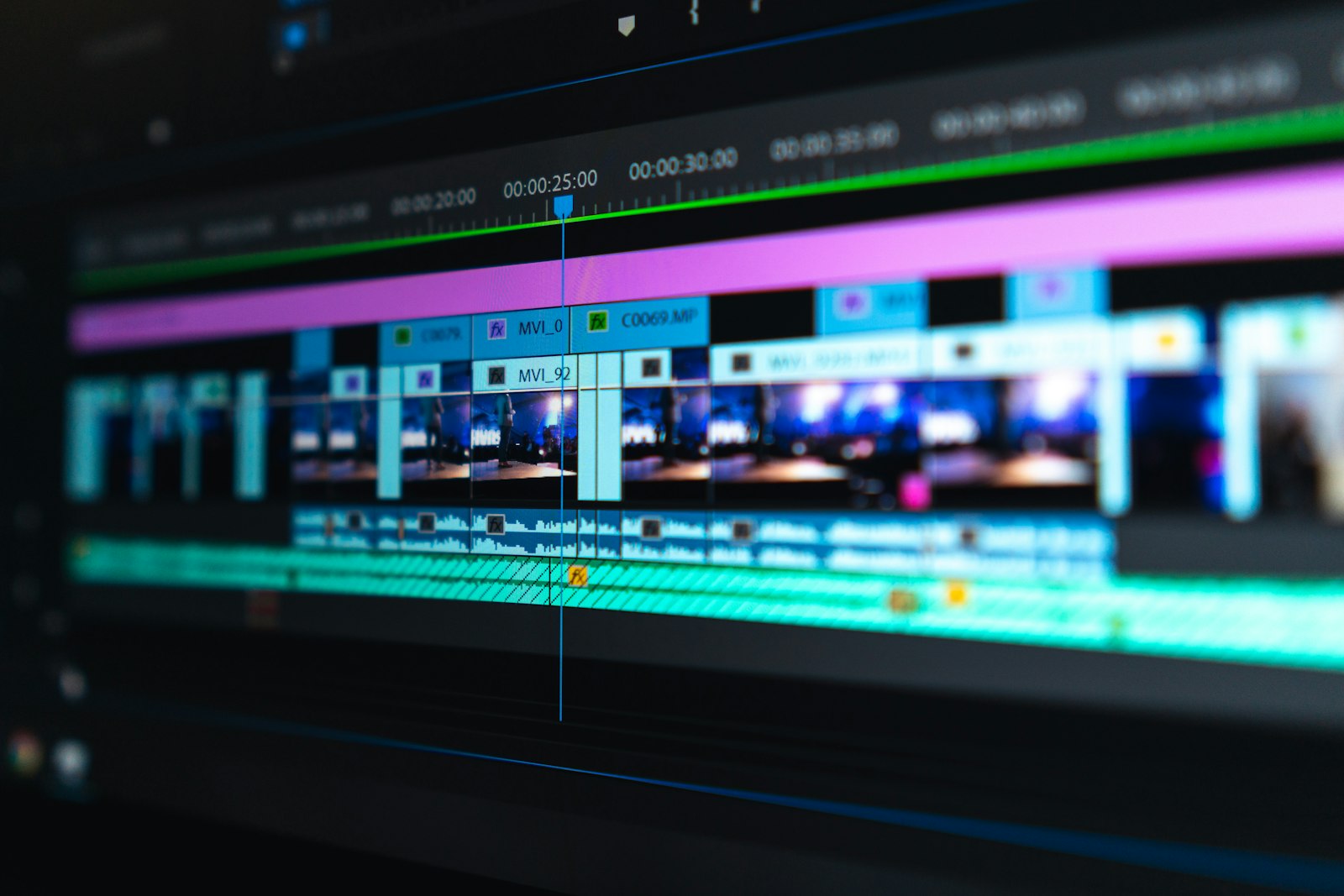
- Drop your shots into a 9:16 timeline at 1080×1920.
- Cut on action — make each cut land on a movement, not in still air.
- Tighten each shot by 5–15%. AI clips almost always have a soft head and tail that benefits from trimming.
- Add a music bed (royalty-free or from the platform's library) at -18 dB under the foreground audio.
- Add a 1-sentence on-screen title in the top safe zone (top 18%) that reinforces the hook.
- Add captions across the middle 60% — even if the dialog is sparse. Captions also help the algorithm understand the content.
Tools that work: CapCut, DaVinci Resolve, Premiere, or YouTube's built-in Shorts editor for the lightest workflow.
Step 7 — Publish, then iterate
A few publishing tactics that disproportionately matter for AI Shorts:
- Title: 40–55 characters. Lead with the hook word ("Watch", "How", "Why"), not the brand.
- Description: First line shows in the feed — repeat the hook there. Then 3 hashtags max.
- Thumbnail: Shorts uses the first frame by default. Make sure frame 1 of shot 1 is the thumbnail — design backwards from this.
- Posting cadence: 3–5 Shorts per week is the threshold where the algorithm starts learning your audience. One-off uploads almost never break out.
- First 48 hours: Reply to every comment. Reply count is one of the strongest engagement signals on Shorts.
Track three metrics: average view duration, swipe-away rate at 3 seconds, and shares. If swipe-away is over 60%, your hook is broken. If duration is over 80% but shares are zero, your payoff is weak. Use this loop to tune prompts and storyboards over time.
Best AI video models for Shorts in 2026
Not every model is a good fit for 9:16 short-form. Here's the practical breakdown:
| Model | Best for Shorts when… | Watch out for |
|---|---|---|
| Veo 3.1 | You need the most cinematic single shot | API friction; per-shot orientation |
| Gemini Omni Flash | Recurring character or multi-shot continuity | GA as of Aug 27, 2026; 720p default, extend to 40s |
| Sora 2 | Wide creative range and strong motion realism | Pricing and access vary by region |
| Runway Gen-4 | Style transfer and stylized looks | Less reliable for photoreal humans |
| Kling 2.0 | Strong physics on action shots | Slower iteration speed |
| Pika 2.0 | Quick, low-cost iteration | Lower per-shot fidelity |
| Luma Dream Machine | Smooth camera motion | Weaker character lock |
| Hailuo / MiniMax | Cost-effective, decent quality | English prompt nuance varies |
| LTX Video | Realtime iteration | Lower output fidelity |
For a full alternatives roundup, see Gemini Omni Flash alternatives: the 10 best AI video models in 2026. For the head-to-heads, see Omni Flash vs Veo 3.1 and Omni Flash vs Sora 2.
The copy-ready Shorts prompt template
Save this. Paste it into every shot prompt. Fill in the fields. Delete what doesn't apply (but keep the structure).
SUBJECT: [who/what — 1 line]
ACTION: [verbs only — what they do, in order]
SCENE: [location, time of day, what's in frame]
CAMERA: [shot type, lens feel, movement; e.g. "low-angle medium, 35mm, slow push-in"]
LIGHTING: [time of day, source direction, color temperature, mood]
AUDIO: [ambient + specific cue]
DURATION: [5–7s recommended for Shorts beats]
ASPECT: 9:16
NEGATIVE: text overlays, watermarks, distorted faces or hands, extra limbs, motion blur on subject, jump cuts
5 Shorts templates that work today
Pick one, fill in the blanks, ship it.
Template 1 — "Hook + payoff" (10–15s)
Shot 1 (3s): SUBJECT mid-action, CAMERA close-up, AUDIO suggestive but not the reveal
Shot 2 (5s): payoff happens, CAMERA pulls back to show context
Shot 3 (3s): reaction beat or closing logo
On-screen text shot 1: "Watch this." (top safe zone)
Template 2 — "Tutorial in 3 steps" (25–35s)
Shot 1 (6s): Step 1 with bold on-screen "STEP 1" overlay
Shot 2 (8s): Step 2 with "STEP 2"
Shot 3 (8s): Step 3 with "STEP 3"
Shot 4 (5s): Result shot — payoff
CTA card (3s): "Save this for later"
Template 3 — "Cinematic mood piece" (10–20s)
Shot 1 (5s): wide establishing, slow camera move
Shot 2 (6s): medium with subject and atmosphere
Shot 3 (5s): close-up emotional beat
Music bed: cinematic, builds across the 16 seconds
No spoken text. On-screen title in shot 1: a single sentence theme.
Template 4 — "Product demo" (15–25s)
Shot 1 (4s): product in environment (where it lives)
Shot 2 (6s): closeup of the key feature in action
Shot 3 (5s): person using it (or implied usage)
Shot 4 (5s): single benefit text overlay + brand mark
CTA: link in description
Template 5 — "Character vignette" (20–40s)
Lock character description verbatim across all shot prompts.
Shot 1 (6s): establishing — show who the character is
Shot 2 (8s): action — what they do that's distinctive
Shot 3 (6s): reaction — emotional beat
Shot 4 (5s): close with a recurring catchphrase or visual signature
The character vignette format is where Gemini Omni Flash workflows pull meaningfully ahead — see How to generate consistent characters for the technique.
Specs that actually matter for Shorts
| Spec | Recommended | Why |
|---|---|---|
| Aspect ratio | 9:16 | Platform default; full-bleed |
| Resolution | 1080×1920 | Sweet spot; 4K is wasted on Shorts |
| Frame rate | 30 fps (24 fps cinematic optional) | Perceived smoothness on mobile |
| Total duration | 15–35s | Highest watch-through window |
| Shot length | 4–7s | Long enough to land, short enough to retain |
| Shot count | 3–5 | Beats >6 fragment attention |
| Audio target | -14 LUFS | Matches platform loudness norm |
| Caption coverage | 100% of dialog/voiceover | 85% of viewers watch on mute |
| Safe zones | Top 18%, bottom 22% reserved | UI overlay zones |
Mistakes that kill AI Shorts
After hundreds of Shorts iterations, these are the failures that show up over and over:
- Generating in 16:9 then cropping. This is the #1 mistake. Always generate vertical.
- Asking the model to render on-screen text. Almost always fails. Add text in your editor.
- Too many shots. 8 shots in 25 seconds feels frantic, not energetic.
- Soft hook. "Here's a video about cats" is not a hook. "What if a cat could play piano?" is.
- No captions. You will lose 60%+ of potential watch time. Caption everything.
- Single-shot uploads. Posting one Short and waiting for it to break out doesn't work. Volume + iteration is the model.
- Switching models mid-series. Visual continuity breaks. Pick one model per series and stay with it.
- Vague negative prompt. "No bad stuff" doesn't help. List specific failure modes: text overlays, extra limbs, distorted hands, jump cuts.
- Ignoring the first frame. Frame 1 is the thumbnail. Design backwards from it.
- Burning credits on 4K. Shorts re-encodes. 1080p vertical is identical perceived quality at a fraction of the cost.
FAQ
Can I monetize AI-generated YouTube Shorts?
Yes, under YouTube's monetization rules. As of 2026, Shorts can be monetized once you meet the Partner Program thresholds. AI-generated content must be disclosed if it's realistic in a way that could mislead viewers (e.g., a real person doing something they didn't do). Decorative AI shots, fictional characters, and obviously stylized work do not require special disclosure beyond standard ad rules. Always check the current YouTube Partner Program terms before relying on monetization.
Do I need to label AI-generated Shorts?
YouTube requires creators to disclose "altered or synthetic content" that appears realistic — including AI-generated video that depicts real people, real places, or real events in a misleading way. Pure fiction, stylized animation, and clearly synthetic visuals generally don't require the altered-content label, but it's good practice to disclose AI use in the description regardless.
What's the best aspect ratio for YouTube Shorts in 2026?
9:16 vertical at 1080×1920 is the standard. The Shorts player crops anything wider. Generate vertical from the prompt — never crop a 16:9 clip.
How long should an AI Short be?
15–35 seconds. Shorts allows up to 60 seconds, but the highest watch-through and completion rates cluster in the 15–35 second range. Long Shorts work if the payoff justifies it; most don't.
Which AI model is best for YouTube Shorts?
For cinematic single shots, Veo 3.1. For character-driven series or anything needing cross-shot continuity, a Gemini Omni Flash workflow. For stylized looks, Runway Gen-4 or Pika 2.0. For most creators, mixing models per project is normal — see the model comparison table above.
How much does it cost to make one AI Short?
With a tight prompt and 2–3 renders per shot, a 5-shot Short costs roughly $0.50–$2.50 in generation credits depending on the model and resolution. The dominant cost lever is prompt quality, not model price. A sloppy prompt that needs 10 renders per shot can push the same Short over $10.
Can AI video generate audio for Shorts?
Some models generate audio (Veo 3.1 supports native audio on supported tiers; Gemini Omni Flash generates synchronized audio, though audio input isn't in its API preview yet). In practice, most Shorts use a separate music bed plus voiceover added in post — this gives you more control over the loudness, the hook, and the platform-specific audio norms. Treat AI-generated audio as a draft, not a deliverable.
Do AI-generated Shorts get suppressed in the algorithm?
No general suppression has been observed for AI Shorts that are well-made, properly disclosed where required, and follow platform rules. What gets suppressed is low-effort AI spam — slideshows, recycled clips, AI-narrated text summaries with no original element. The algorithm reads engagement signals; if real viewers watch through, the algorithm distributes.
Can I make AI Shorts in languages other than English?
Yes. Prompts can be written in most major languages; English usually has the most reliable adherence on current models. Voiceover and captions can be in any language. For non-English Shorts, write the prompt in English and the captions/voiceover in the target language — this combination usually produces the best results.
Are AI-generated Shorts watermarked?
Most major models (Veo, Gemini Omni) apply invisible watermarking like SynthID on Google surfaces. The watermarks are not visible to viewers but are detectable by compliant platforms. Treat all AI video as identifiable AI content for compliance purposes. Visible watermarks (the platform logo burned into the corner) are a free-tier signal, not a model behavior — most paid plans remove them.
What's the fastest way to iterate Shorts ideas?
Pick one format from the 5 templates above. Generate ten variations over a week. Look at the data: which hook held viewers past 3 seconds? Which payoff drove shares? Double down on that pattern for the next ten. The compounding gains from format + iteration beat any single "perfect" Short.
Next steps
- Try the Omni Flash workflow studio → — write Omni-style prompts and render vertical 9:16 Shorts in one place.
- AI Image to Video Generator → — turn a still into a vertical clip.
- See the AI video generator → — full feature overview.
- Read: Best Gemini Omni Flash prompts → — 25 copy-ready prompt templates including Shorts formats.
- Read: Consistent characters across shots → — the technique for character vignettes.
- Read: Omni Flash vs Veo 3.1 → — the full model comparison.
- Compare credit packs → — pick the plan that matches your weekly Shorts cadence.