

Omni Flash vs Veo 3.1: Which AI Video Model Wins? (2026)
Omni Flash vs Veo 3.1 compared across conversational editing, character consistency, physics, API access, and pricing — and which model to pick for each job.
Quick Answer
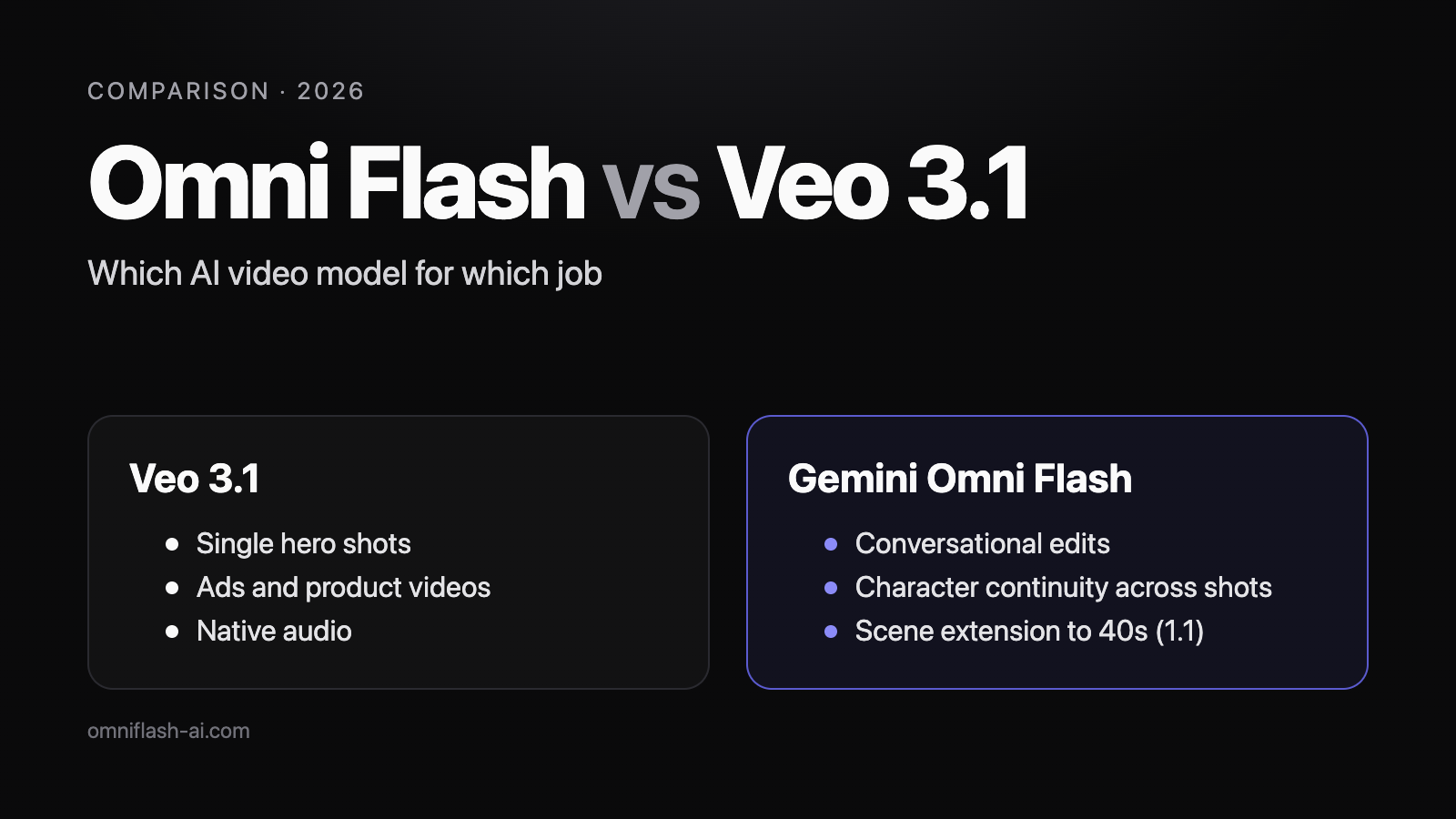
Veo 3.1 is Google's dedicated text-to-video model — production-tested, broadly available, and the safest bet for cinematic single shots today. Gemini Omni Flash is the fast tier of Google's broader Gemini Omni multimodal line, built for conversational editing, multi-shot continuity, character consistency, and physics-aware generation. Veo 3.1 is the model you ship with right now; Gemini Omni Flash is the workflow direction the whole industry is moving toward. They solve different problems, and most production workflows will use both.
Key Takeaways
- Different design centers: Veo 3.1 is a text-to-video model; Gemini Omni Flash is a multimodal video model. Same vendor, different jobs.
- Pick Veo 3.1 when you need a polished, single-shot, high-quality clip today.
- Pick a Gemini Omni–style workflow when you care about editing existing clips, keeping a character consistent across shots, or simulating real-world physics.
- The API maturity gap has closed: Veo 3.1 is GA and shippable, and since August 27, 2026 so is Gemini Omni — Omni 1.1 Flash, model ID
gemini-omni-1.1-flash. Google is even replacing Veo with Omni inside the Gemini app. - Most creators end up using both — Veo 3.1 for hero shots, Omni-style workflows for editing and continuity.
Comparison Table
| Dimension | Veo 3.1 | Gemini Omni Flash | Better pick |
|---|---|---|---|
| Primary focus | Cinematic text-to-video clips | Multimodal video creation + editing | Depends |
| Best for | Ads, product videos, single hero shots | Series, recurring characters, edit-heavy workflows | Depends |
| Conversational editing | Limited — regenerate to change | First-class | Omni |
| Character consistency | Best-effort via prompt + reference | Model-level objective | Omni |
| Scene memory | Single-shot oriented | Across-shot continuity | Omni |
| Object permanence | Per-shot | Across-shot | Omni |
| Region / masked edits | Limited | Designed-in | Omni |
| Physics realism | Strong cinematic motion | Emphasis on world-simulation behavior | Omni (multi-shot) |
| Input: reference video | Limited | First-class | Omni |
| Output duration | Short clips (seconds) | 3–10s base; scene extension to 40s (1.1) | Omni (to 40s) |
| Output resolution | Up to 4K on supported tiers | 720p native; 1080p/4K via upscaling (1.1) | Veo 3.1 |
| Native audio | Yes, where exposed | Multimodal audio planned | Veo 3.1 |
| API availability | Available through Vertex AI + partners | GA since August 27, 2026 (gemini-omni-1.1-flash) | Tie |
| Vendor | Google DeepMind | Google DeepMind | Tie |
| Model family | Veo (dedicated video) | Gemini Omni (multimodal) | Tie |
| Input: text | Yes | Yes | Tie |
| Input: reference image | Yes | Yes | Tie |
| Input: audio | Output-side | Output yes; audio input not yet in API | Tie |
| Aspect ratios | 16:9, 9:16, 1:1 | 16:9, 9:16, 1:1 | Tie |
| Cost model | Per-generation | Per-generation | Tie |
| Safety / watermarking | SynthID on Google surfaces | SynthID on Google surfaces | Tie |
| Commercial use | Allowed under platform terms | Allowed under platform terms | Tie |
What is Veo 3.1?
Veo 3.1 is the current iteration of Google DeepMind's flagship text-to-video model line. It is production-grade today and is integrated into Vertex AI, partner platforms, and a growing number of creator tools. Strengths:
- Cinematic image quality and motion.
- Good prompt adherence for camera direction, lighting, and style.
- Audio support where the underlying platform exposes it.
- Broad practical availability — Veo 3.1 has been GA far longer, with a mature partner ecosystem across Vertex AI and third-party tools.
The way most creators use Veo 3.1 today is "generate-and-pick": you write a prompt, generate several variations, and pick the best clip. Each clip is essentially independent.
What is Gemini Omni Flash?
Gemini Omni Flash is the fast tier inside Google's broader Gemini Omni multimodal family. It is positioned not as "yet another text-to-video model" but as a multimodal video model: it accepts text, images, audio, and existing video as inputs, and emphasizes capabilities that single-shot models historically struggle with.
Practical implications for creators:
- You can describe edits in plain language ("make the jacket navy", "move the camera further back") and keep the rest of the shot intact.
- You can render multiple shots of the same character with much higher chance of recognizable continuity.
- You can ask the model to respect basic physics (gravity, collisions, shadows) instead of producing footage that "looks impressive but is wrong".
The trade-off has largely dissolved: Gemini Omni Flash's developer API entered public preview on June 30, 2026, and went GA on August 27, 2026 as gemini-omni-1.1-flash (~$0.10 per second, 720p) — though many creators still experience it through workflow tools and prompt platforms rather than direct integration.
Create videos with more freedom
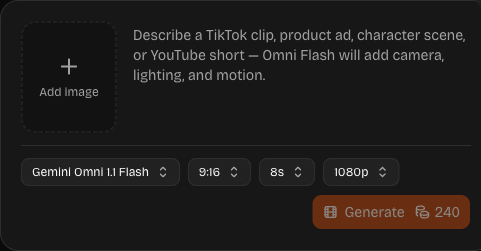
Write a prompt, add a reference image if you have one, and generate a short clip. Adjust the prompt and run it again to compare.
Model design philosophy
The single most useful way to understand these two models is what they are optimizing for.
Veo 3.1 is a dedicated video model. Its design center is: given a text prompt and optionally a reference image, generate the best possible single clip. Every architectural decision flows from that — high-fidelity per-frame quality, strong motion coherence inside a clip, cinematic defaults, fast iteration.
Gemini Omni Flash is a multimodal video model. Its design center is: given a creator's evolving intent expressed across text, images, audio, and existing video, produce video that stays coherent with the broader context. That means cross-shot continuity, edit fidelity, character preservation, and physical consistency — all of which require the model to "remember" things outside a single render.
These are not better-or-worse positions. They're different jobs.
Inputs
Veo 3.1
- Text prompt (primary).
- Reference image for style or subject.
- Limited reference-video conditioning on supported surfaces.
Gemini Omni Flash
- Text prompt.
- Reference image(s) for style, subject, or character identity.
- Reference video as a first-class input — for edits, continuations, and stylistic conditioning.
- Audio input for sync, mood, or scene cues (announced; not yet supported in the API).
The practical difference: with Veo 3.1, your inputs largely shape what gets generated. With Omni Flash, your inputs shape what gets generated and what stays constant.
Outputs
Both models output short video clips, both target up to 4K on supported tiers, and both support 16:9, 9:16, and 1:1 aspect ratios — covering YouTube, Shorts/TikTok/Reels, and square social formats.
The practical differences are in how the output relates to your previous outputs:
- Veo 3.1 outputs are independent. Two renders of the same prompt are two unrelated clips.
- Omni Flash outputs are designed to be part of a project — the model keeps characters, lighting, and scene logic consistent with prior shots.
Video generation quality
Both models produce high-quality short video. They emphasize different things:
- Veo 3.1 consistently delivers a cinematic, "good-looking" output for single shots. It is the easiest path to a clip that looks finished.
- Gemini Omni prioritizes correctness over polish in dimensions where polish without correctness is worse — physics, character identity, edit fidelity. The bar is "looks right when you watch it twice", not "wins the thumbnail contest".
For ad creative and standalone hero shots, polish often wins. For series, narrative, and edit-heavy work, correctness wins.
Prompt adherence
Both models follow detailed prompts well. They tend to be strong on different things:
- Veo 3.1 is excellent at camera direction, focal length cues, lighting mood, and stylistic descriptors. Its weakness is treating "do not change X" instructions as soft suggestions — small wording tweaks can flip whole scenes.
- Omni Flash is designed to take edit instructions literally — "change the jacket to navy, leave everything else identical." That's a different kind of prompt adherence, and it's the one most creators are missing today.
Camera control
Both models respond well to camera language:
- Shot type: wide, medium, close-up, extreme close-up, over-the-shoulder.
- Movement: static, pan, tilt, dolly in/out, tracking, crane, handheld.
- Lens feel: wide-angle, 35mm, 50mm, 85mm, telephoto.
- Depth-of-field cues: shallow, deep, rack focus.
The difference shows up in multi-shot work. With Veo 3.1, you re-specify the camera on every render. With Omni Flash, the intent is that you can say "now cut to a close-up of her hand" and have the model carry forward everything else (subject identity, lighting, location).
Lighting and style range
Both produce strong lighting and a wide style range — cinematic realism, stylized realism, animation looks (3D-render, 2D-anime, stop-motion feel), and graphic styles. Veo 3.1 has a slightly more cinematic-by-default look: even sparse prompts often yield film-quality lighting. Omni Flash is comparable per-shot and more consistent across shots — if you established golden-hour lighting in shot 1, shot 2 inherits it without re-prompting.
Conversational editing
This is the headline Gemini Omni advantage.
In a Veo 3.1 workflow, changing a scene means changing the prompt and regenerating. A small wording tweak can flip the entire shot, and you lose the version you liked.
In a Gemini Omni–style workflow, the previous frames anchor the next ones. "Make the sky overcast." "Move the camera further back." "Change the jacket from red to navy." You iterate on a shot the way you iterate on a sentence — pointing at the part that is wrong and leaving the rest alone.
For most narrative and brand work, this is the difference between the two models.
Text-to-video and image-to-video · runs on Gemini Omni 1.1 Flash
Masked / regional edits
Veo 3.1 has limited support for region-specific edits today — most edits are global re-renders.
Omni Flash is designed with masked and regional edits as a first-class concept: change this object, this region, this character's wardrobe, leaving the rest untouched. As of writing, support varies by surface — conversational and multi-turn edits are live in the GA API, while finer masked-edit controls remain uneven across platforms.
Scene memory and physics
Veo 3.1 is a per-shot model: it does not "remember" your previous shot when you ask for the next one — you carry that context yourself via prompts and reference images. Omni Flash is designed to carry context across shots inside a project: characters, locations, lighting, palette, even props.
Physics is where the gap is most visible in multi-shot work:
- A glass sphere rolling down a ramp should accelerate naturally, rotate as it moves, bounce once, and slow with friction — not float, slide without rotation, or pass through the surface.
- An object that fell in shot 1 should be on the floor in shot 2.
- A poured liquid should land in the cup it was poured into — and that cup should still be full in the next shot.
Both models give believable gravity, collisions, and shadows for the bulk of common single shots. Where Omni Flash pulls ahead is cross-shot physical continuity — invariants that are extremely hard for single-shot models.
Character consistency
The single hardest problem in AI video. Both models support reference images for the subject. The difference:
- Veo 3.1: the reference image guides the model, but the model is not optimizing for "same person as last shot."
- Omni Flash: character identity is treated as a model-level objective across renders in the same project.
For one-off creative shots, the gap is small. For a 6-shot series with a recurring character, the gap is large.
Try a character-reference shot on Omni Flash →
Image-to-video takes one reference image · runs on Gemini Omni 1.1 Flash
API availability
This gap narrowed on June 30, 2026, but it hasn't closed.
- Veo 3.1: available through Vertex AI and many partner products; stable, documented, and shippable today without preview gating.
- Gemini Omni Flash: generally available since August 27, 2026, via Google AI Studio and the Gemini API — model ID
gemini-omni-1.1-flash, ~$0.10 per second, 720p native with 1080p/4K upscaling, 3–10-second clips extendable to 40 seconds. Self-serve with a free key. See the API tutorial.
If your timeline is "ship this quarter on a stable API," Veo 3.1 is the lower-friction choice. If your timeline is "build a workflow that holds up across the next 12 months of model releases," design your prompts and pipeline so the underlying model is a config swap, not a rewrite.
Latency, cost, and safety
- Latency: both Flash-class tiers are optimized for fast iteration over a few seconds of video. Render time is dominated by resolution and duration — use the Flash tier for prompt experimentation and reserve longer or higher-resolution renders for final output.
- Cost: Gemini Omni Flash's published rate is ~$0.10 per second of output, the same rate as Veo 3.1 Fast; Veo 3.1 pricing otherwise varies by platform and tier. The single biggest cost lever — by an order of magnitude — is prompt quality. A structured prompt with a negative-prompt block uses 3–5× fewer regenerations than a sloppy one. The model price is not where you save money; the prompt is.
- Safety / watermarking: both apply SynthID watermarking on Google surfaces. It's invisible to viewers but detectable to compliant tools and platforms. Treat all output from either model as identifiable AI content for compliance and disclosure purposes.
- Commercial use: both permit commercial use under the terms of whichever surface you render through (Vertex AI, partner tool, or downstream creator platform). Commercial rights are set at the platform layer, not the model layer — always read the specific surface's terms.
Which one should creators use today?
A concrete decision matrix:
| Use case | Recommended | Why |
|---|---|---|
| Single hero shot for a product ad | Veo 3.1 | A polished, cinematic single clip is what Veo is built for. |
| 30-second product walk-around | Veo 3.1 for shots, Omni for continuity | Shots look finished on Veo; Omni carries lighting and subject between shots. |
| Recurring character in a YouTube series | Omni Flash workflow | Character identity is a model-level goal across shots. |
| YouTube Shorts / TikTok one-offs | Veo 3.1 | Independent clips are fine, and polish wins the thumbnail. |
| Brand mascot across many videos | Omni Flash workflow | Same character every time matters more than per-shot polish. |
| Real estate listing walkthrough | Veo 3.1 | Single-shot cinematic motion and lighting. |
| Storyboarded narrative (3+ shots) | Omni Flash workflow | Scene memory keeps location, lighting, and props consistent. |
| Conversational edits to an existing clip | Omni Flash workflow | Edits are taken literally and the rest of the shot stays. |
| Creative ideation and "what if" exploration | Veo 3.1 | Generate several variations, pick the best. |
| Physics-critical demo (engineering, science) | Omni Flash workflow | Physical continuity holds across shots. |
Found your row? Write the prompt once and run it — or check the credit plans first. Open the Omni Flash AI Video Generator →
Pragmatically, most production workflows end up using both — Veo 3.1 (or its successor) for hero shots, and a Gemini Omni–style workflow for editing, continuity, and character work.
Real workflows
Workflow A — Product ad, single hero shot. Veo 3.1 end-to-end. Write a tight cinematic prompt with camera, lighting, and a negative prompt. Render 3–5 variations. Pick one.
Workflow B — Three-shot narrative with a recurring character.
- Lock the character description verbatim.
- Generate shot 1 (establishing).
- Use an Omni-style workflow to generate shot 2 conditioned on shot 1 — same character, new action, new camera.
- Repeat for shot 3.
- If today's API surface doesn't yet expose Omni's cross-shot conditioning broadly, use the same Omni-style prompt structure on Veo 3.1 with the reference image carried forward. Quality is lower than native Omni, but the workflow ports forward when Omni opens up.
Workflow C — Conversational edits to an existing clip. Native Omni surface. Describe each edit in plain language, keep what you like, change one thing at a time. Save the intermediate version you like before each edit.
Future direction
Reading the model line:
- Veo will keep getting better at single-shot cinematic quality, prompt adherence, and audio.
- Gemini Omni will keep extending the multimodal envelope — longer clips, deeper edit operations, stronger cross-shot continuity, richer audio input.
A reasonable bet: in 12–24 months, "video model" will mean a multimodal model with editing built in. Veo will likely still be the model you pick for the best-looking single clip; Omni-style workflows will be the default for any project that needs more than one shot. The practical implication today is to design your prompts and workflow for the Omni direction now, render on whichever model is currently accessible, and treat the model as a swap rather than a rewrite.
How Omni Flash fits in
Omni Flash is built for the Gemini Omni era but works today with available video generation workflows such as Veo 3 / Veo 3.1 where supported. You write Omni-style prompts — shot list, camera, lighting, physics, audio, negative prompt — once, and the same workflow ports forward now that Gemini Omni Flash's API is GA. The benefit: you build your prompt structure, character library, and workflow once instead of redoing them every time a new model lands.
What you can run in the studio today. Text-to-video and image-to-video on Gemini Omni Flash and Gemini Omni 1.1 Flash, with one reference image if you want to carry a look or a character into the shot.
Going further with 1.1. Google's 1.1 model adds scene extension to 40 seconds, 360p drafts with upscaling to 4K, and first and last frame control. These guides walk through each one with Google's API:
- Extend a scene to 40 seconds instead of stitching clips by hand — see scene extension.
- Draft at 360p, then finish higher — cheap drafts to lock the idea, then upscale; see 360p drafts and 4K upscaling.
- Control how a shot starts and ends with a first and last frame — see first and last frame.
Run your own comparison
Pick a row from the table above, write the prompt once, and see how it behaves.
FAQ
Is Gemini Omni Flash a replacement for Veo 3.1?
No. They have different design centers, and Google has invested heavily in both. Expect them to coexist — and to be used together — for the foreseeable future.
If I can only learn one, which should I learn?
Learn the Omni-style prompt structure (Subject, Action, Scene, Camera, Lighting, Audio, Negative). It works on Veo 3.1 today and ports to Omni Flash when it opens up. Learning a model-specific prompt style is a worse bet.
Can I use both in the same project?
Yes, and many creators will. Render hero shots on the model with the best single-clip output, and use Gemini Omni–style workflows for edits, continuity, and multi-shot work.
Which has better audio?
Both support audio in their respective platforms where exposed. Native audio quality depends on the rendering surface, not just the model. Omni's framing positions audio as an input as well as an output, which is a workflow advantage for music-driven or dialog-driven clips.
Which is cheaper?
Both are priced per generation and change frequently. The biggest cost lever in either model is prompt quality, not model price.
Are outputs watermarked?
Yes — both apply SynthID watermarking on Google surfaces. The watermark is invisible to viewers but detectable to compliant tools and platforms.
Can I use the outputs commercially?
Yes, under the platform terms of whichever surface you render through. Always read the specific platform's terms.
Is Veo 3.1 going away?
There is no signal that Veo is going away. Google has invested heavily in the line and continues to ship updates.
Is Omni Flash affiliated with Google?
No. Omni Flash is independent and is not affiliated with Google. Gemini, Gemini Omni, Omni Flash, Veo, and related names are trademarks of their respective owners.
Next steps
Pick your row in the table above and run it: write the prompt once, then change one detail at a time.
Text-to-video and image-to-video on Gemini Omni 1.1 Flash · commercial use subject to platform terms
- AI Video Generator → Prompt-first studio with Gemini Omni 1.1 Flash and the original Gemini Omni Flash.
- Try the Workflow Studio → Start a Gemini Omni–style workflow today.
- Compare plans → Match credits to your shot volume.
- Read: What Is Gemini Omni Flash? → The full background read.
- Read: Gemini Omni Flash vs Sora 2 → The other major comparison.
- Read: Gemini Omni Flash vs Seedance 2.0 → Omni vs the current quality-leader.
- Read: Best Gemini Omni Flash prompts → Copy-ready prompt templates.